Tools
 Line: This tool allows you to make straight lines in the workspace
 auxiliary line: This tool allows you to extend the line to each end of the workspace serves as Lienas guides.
 Polyline: This tool allows a polygon, tracing the Lienas continuously and leaving them at the end all the lines together as a single drawing.
 polygon: This tool enables accurate distance poligos with equal sides unlike the polyline.
 Rectangle: This tool allows quadrangles more practical way.
 Arch: This tool allows arcs between two points, in the case of rounded corners.
 Circle: This tool allows circles very accurately as we can digitarle the radius or diameter.
 Ellipse: This tool allows to ellipses that fit exactly in the drawings.
 Shading: This tool allows you to fill or draw shapes in circles, rectangle, etc.
 Table: This tool allows tables with the number of columns and rows desired.
 Text: This tool lets you add text to the desired font size.
 Delete: This tool will fulfill functions exactly like a draft.
 Copy: This tool allows very easily copy copying them in exactly the same figures desired number of times.
 symmetry: This tool allows you to duplicate the selected drawing, then the copy will come out as the reflection of a mirror.
 Offset: This tool allows you to copy the selected line at a given distance.
 Move: This tool lets you move the drawing anywhere we want.
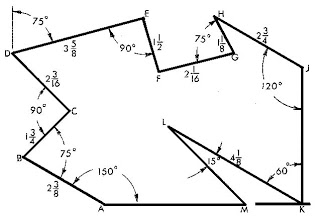
 Trim: This tool allows delete parts crossings between lines. autoCAD works according coordinates, then to see a clear example we will develop the following figure: